
After more than 11 years of traveling and living overseas, including almost 3 years residing in Japan and 5 years in Spain, the way we use our phones to stay connected has changed.
When we first started traveling, we relied exclusively on WiFi-based apps to communicate and get around. It worked well, and it was nice to completely disconnect between sessions on public WiFi.
But now, with so much reliance on apps for communication and navigation, plus more affordable options for using mobile data overseas, we keep access to our U.S. phone numbers while traveling and purchase local SIM cards when it makes sense.
This article explains how to think through your phone service options before an international trip, along with the communication and travel apps we use overseas.
Start by Understanding Your Phone and Plan
Before you download a bunch of apps, make sure you know how your phone will work overseas. A few quick checks before your trip can help you avoid surprise charges, login problems, or scrambling to find WiFi when you need directions.
Start with these questions:
1. Does your U.S. carrier offer an international plan?
Most major phone carriers offer some type of international option, but the cost and details vary. Some charge by the day, while others offer monthly plans or travel passes.
Before your trip, find out:
- How much the plan costs and whether you are charged only on the days you use it.
- Whether the plan works in the countries you plan to visit.
- Whether you need to activate it before you travel.
- Whether it includes calls, texts, and data.
- Whether the data is unlimited or capped.
- What happens if you go over the limit.
For a short trip, using your U.S. carrier’s international plan may be the simplest option, even if it costs more than buying a local SIM card.
2. Is your phone unlocked?
An unlocked phone can work with a SIM card or eSIM from another phone company. That gives you more options overseas, including local phone plans and travel eSIMs.
(A SIM card connects your phone to a cellular network. Traditionally, a SIM was a small physical card inserted into your phone. Many newer phones also support eSIMs, which are digital SIMs that you download and activate without swapping cards.)
If your phone is locked, it may only work with your current U.S. carrier. Contact your carrier before your trip to ask whether your phone is unlocked and, if not, whether they can unlock it.
If you travel overseas often, consider buying an inexpensive unlocked phone just for international travel.
3. Does your plan support WiFi calling?
WiFi calling allows you to make and receive calls, and often texts, using a WiFi connection instead of a cellular network.
This is the solution we use with our U.S. phone service when overseas. It has worked well for receiving texts and making calls to U.S. numbers.
Before your trip, ask your carrier whether your plan supports WiFi calling outside the United States. Also, turn it on and test it before you leave. You may need to activate it in your phone settings and through your carrier account.
3. Will you need to receive verification codes to your U.S. phone number?
Many banks, government websites, pharmacy accounts, airline apps, and other secure websites use two-factor authentication when you log in. That means they may send a verification code to your U.S. phone number. If you can’t receive that code overseas, you may not have access to the account when you need it.
Before you leave the U.S., log in to your most important accounts and check your security settings. When possible, add an authenticator app, backup email address, or another verification method instead of relying only on text messages.
Also, confirm whether your U.S. phone plan allows you to receive texts or calls while overseas and whether those messages cost extra.
If you plan to live overseas or spend several months abroad, your long-term phone setup may need more research. For a regular trip, the most important thing is knowing before you leave whether you can receive verification codes overseas.
Choose the Best Phone Service Option for Your Trip
After you’ve answered the questions above, you can choose the phone service option that makes the most sense for your trip.
Option 1: Use your U.S. carrier’s international plan
This is often the simplest option for short trips, especially if you want to use your phone the same way you do at home. It may cost more than buying a travel SIM or local SIM, but it also requires the least setup.
This option works well if you only travel overseas once in a while, your trip is relatively short, and you don’t want to spend time comparing SIM cards or installing them in your phone after arrival.
Option 2: Use a travel SIM
A travel SIM lets you connect to a cellular network in the country or region you’re visiting, often for a set number of days or a set amount of data. This option can work well if you mainly need internet access for maps, messaging apps, e-mail, and travel reservations.
Many travel SIMs provide data but not a local phone number, so read the details before you buy one. Also, make sure your phone is unlocked and compatible.
You can buy physical travel SIM cards in many airports, train stations, convenience stores, or electronics stores. We’ve bought them at the airport in Tokyo, and the staff helped install the SIM cards in our phones.
You can also buy a travel eSIM before you leave the United States. After purchase, you activate it on your phone without swapping physical cards. Not all phones support eSIMs, so check your phone model before you buy one.
Option 3: Buy a local SIM card
If you plan to spend several weeks or months in one country, visit the same country often, or need a local phone number, a local SIM may work better than a travel SIM.
Note for Europe: If you buy a SIM card in a European Economic Area (EEA) country, you can generally use it in other EEA countries without extra roaming charges. This can work well if you plan to visit several countries on the same trip. Before buying, confirm which countries the plan covers and whether it has a fair-use data limit. Also, remember that some popular European destinations, including Switzerland and the United Kingdom, are not part of the EEA roaming area.
You usually buy a local SIM from a local mobile carrier’s store. Look for a prepaid option, which is generally easier to set up and helps you avoid surprise charges.
A local SIM can make everyday tasks easier, especially if you need to call local businesses, make appointments, or communicate with people who expect you to have a local number.
Use a Virtual Private Network (VPN) on Public WiFi
No matter which phone service option you choose, you will probably use public WiFi at some point while traveling. Airports, hotels, cafés, military lodging facilities, and passenger terminals all commonly offer Wi-Fi. Even when a network requires a password, that does not make it private. Plenty of other travelers, guests, customers, or employees may have access to the same connection.
We use TunnelBear VPN for an added layer of privacy when using public WiFi, especially when logging in to accounts that involve personal or financial information. TunnelBear is simple, quick to turn on and off, and doesn’t require much thought once it’s set up, which is why we’ve stuck with it for years.
We use the paid annual plan so we don’t have to think about how much we’re using it while traveling. That works well for us because we spend a lot of time overseas and often use WiFi outside our apartment or hotel.
A VPN can also allow you to browse as if you are in the United States. That option is useful when a website blocks access from overseas or shows different content based on your location.
If you want an easy VPN for travel, check out TunnelBear here.
Communication Apps Worth Having
Once you know how you’ll get online overseas, a few communication apps can make travel much easier. These are the ones we use most often, plus one built-in option for Apple users.
Facebook Messenger
Facebook Messenger is our go-to method of communication with each other, friends, and family while on the road. It’s easy to send messages and voice clips, make phone or video calls to your contacts, and share photos. You don’t need to be “friends” with someone on Facebook to communicate through Messenger.
FaceTime/iMessage
If you use an iPhone, you’re probably already familiar with FaceTime and iMessage. Both can work over WiFi when you’re outside the United States, which makes them useful for staying in touch with other Apple users.
WhatsApp is widely used in Europe and many other parts of the world. In some countries, it’s the main way people communicate with friends, hotels, tour guides, landlords, and local businesses.
It has much of the same functionality as Facebook Messenger, including text messages, voice messages, calls, video calls, and photo sharing.
A WhatsApp account connects to your mobile phone number. When you set it up for the first time, you need to receive a verification code by text or phone call, so install and test the app before you travel. Once WhatsApp is set up, you can use it over WiFi.
LINE
LINE is an important app for Japan travel. Similar to WhatsApp or Messenger, it’s especially common in Japan for messages, voice calls, video calls, and business communication.
Many Japanese businesses publish their LINE information along with their phone number, website, and social media accounts. If you plan to spend time in Japan, it’s worth installing LINE before your trip.
Other Travel-Related Apps
Personally, I don’t want an app for every single service I use. In many cases, I’d just as soon use the website. But there are a few apps I use daily while living and traveling overseas.
Google Maps
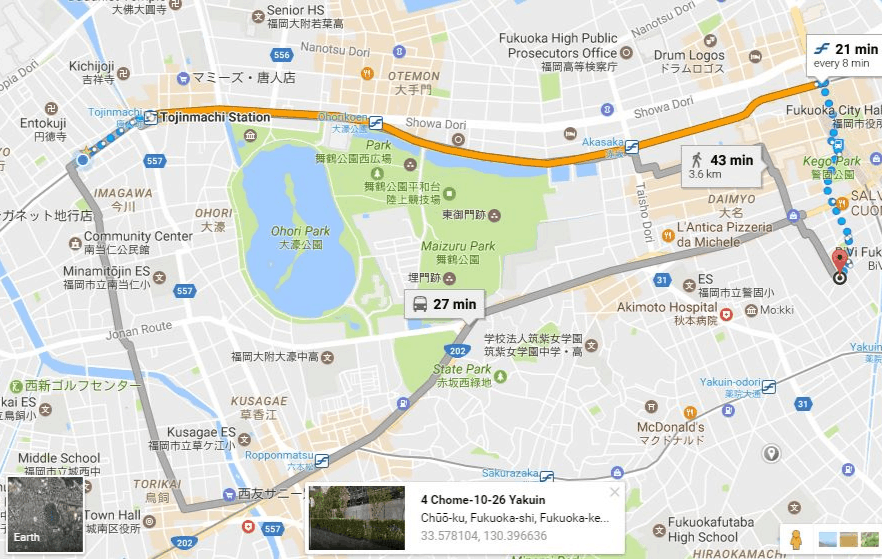
Google Maps is our preferred navigation app, and not just for turn-by-turn directions while driving or walking. We also use it to find public transportation options, including specific bus and train routes. In some locations, it even shows estimated fares.
The level of detail varies by country, but Google Maps is incredibly useful in Japan. When planning train travel, it can even tell you which car to board for the fastest transfer.
We also use Google Maps to check business hours and find contact information for restaurants, hotels, and other local businesses. It’s often the easiest way to find a local phone number instead of a centralized reservation number, which is very useful when reserving military lodging.
Google Translate
Google Translate does much more than translate words you type into the app. One of the most useful features is the camera tool. Click the camera icon, hold your phone over a sign, menu, or set of instructions, and the app will translate what it sees. We’ve used it for tasks ranging from operating appliances in overseas apartments to joining a gym in Japan.
You can also use conversation mode to speak back and forth with someone in another language. It’s not perfect, but it can make simple conversations much easier.
Uber
Set up the Uber app before traveling overseas, even if you don’t use it often at home.
In some locations, you can use Uber the same way you would in the United States. In others, the app may connect you with a local taxi or another type of licensed ride service. Either way, it gives you a familiar way to request a ride, confirm your destination, and pay through the app.
Another advantage is that you see the fare before you book. Anyone who has been hit with an unexpectedly high taxi fare in a foreign country knows the value of that certainty. We learned this the hard way in Sicily.
Also, since Uber is connected to your credit card, you don’t need to fumble with payment when you arrive at your destination.
Banking Apps
While traveling, I use banking and credit card apps because they’re much faster than navigating the mobile version of each website. I can log in from my phone, check balances, monitor recent transactions, and confirm that charges match what I expected.
Airline and Train Apps
When flying commercial, I like to use the airline’s app because it stores my boarding pass and gives me real-time gate information. This came in handy when I flew out of Seattle-Tacoma International Airport during a cyberattack and the airport’s departure screens were not working.
Airline apps can also help when flights are delayed or canceled. When one of my Lufthansa flights was significantly delayed due to weather, I received continuous updates and an automatic rebooking for my missed connection through the app.
Train apps are also useful in countries where you plan to travel by rail. Apps such as Deutsche Bahn in Germany or Trenitalia in Italy can help you check routes and schedules, buy and validate tickets, and view track information.
Many hotels also offer apps that allow you to check in from your phone or even use your phone as your room key. Personally, I don’t find those essential, but some travelers like having everything in one place.
Final Thoughts
Your phone can make international travel much easier, but only if you think through your setup before you leave. Make sure you know how your phone will work overseas, how you’ll get online, and whether you can access important accounts when you need them.
Once those basics are covered, the right apps can help you communicate, navigate, translate, book rides, monitor charges, and manage travel changes with much less stress.

Articles like this is why I decided to put your link on a lot of my pages on my website. This is excellent information that will benefit many people. So much data to soak up and it will take some hands on to get it all figured out and determine what’s best for each person. I mean to each their own, but you give them plenty of options and information. Well done.
Thanks John! I truly appreciate the input. Your site is an outstanding resource, and I am very happy to be referenced on it.
Great article! I’m going to find the wireless router!
Thanks Sharon! If you’re in Japan, try Yamada. That’s where we bought ours.
Thank you for the tips. I downloaded some of the recommended apps and saved your page for future review.
Thanks Mary! Glad you find the information useful.
Thank you! Excellent info. Will definitely help us on our next adventure !
Thanks Debby! Let me know if you have any questions.
Thank you for the excellent ideas. We have incorporated many of these in our travels as well and will certainly take advantage of others you listed. You learn real quick, how to find and use WiFi traveling around the world. I have used VOIP since 2005 and now using Magic Jacks. This is a small device about the size of a small box of matches and you can use it any where in the world. After you purchase the device for about $59 with one year of service, you can purchase another 5 years of service for $20 per year. It gives you a US phone number and you can choose from any City or State. It is like you are calling from inside the US. The new versions do not have to be plugged into a computer if you have a Cat 5 hard line to plug into it. If not, it will take the WiFi from your laptop or desktop and works great. I never leave home without one of them. I can receive my regular calls and make calls.
Regarding power, I totally agree you need a source of power traveling. We rent a lot of cars and I always carry a converter to plug into the cigarette lighter. In addition, I carry a small power strip, so we can power multiple devices at once, phones, surface pros, garmin, etc.
Again, thank you for sharing this information and enjoy Japan. I have been there many times and always enjoy my visits.
Hi Phil,
That’s great info about Magic Jack. I’m familiar with the service but have not tried it. Sounds like it would be a great way to stay in touch with family and friends from the U.S. while traveling. I think the theme with many of these apps and devices is that you have to plan ahead a little bit to have these things in place (and test them) before you travel.
Thanks for the input!
Stephanie: Thank you very much for your comprehensive recommendations. It’s most helpful to learn from another’s experience. I’m also a Maps.me fan, and so appreciate it’s offline functionality. I’m very interested to try your Elecom Wireless Router or something similar. I didn’t realize they were so small. With thanks, ML
The Elecom has been a life-saver here in Japan! We were surprised to encounter so many places that did not have wireless, but having the Elecom makes it a non-issue.
Wonderful article. Have you traveled to Korea? I am planning a 2018 trip and searching for practical tips.
Thanks,
John P.
Thanks John! The only time I’ve spent in Korea was at the airport for a layover. There is an Osan AB Space-A forum on Facebook. You might want to start there for some tips.
We usually use Google maps offline functionality, but we might have to give maps.me a go!
Great write up. ?
Thanks! Maps.me is great while driving – the re-routing function is priceless!
Thanks for your info. Have you tried this app? Rome2rio.
Hi Kathy – we have not tried Rome2rio yet, but we are planning a few long weekends to visit cities within Japan, so we will give it a try.
Thanks!
I did not read all the comments; so, No idea if this app had been mentioned. Aside from all the apps you mentioned, I would recommend talkatone. You’ll have a USA number (you can change your number any time FREE) and you can text and talk unlimited for FREE. Its only free for USA numbers and they charge you for overseas call/text numbers. FREE to call/text USA/Canada. Hope this helps…
BTW, quality of calls—sometimes its very clear sometimes its okay. I would give it 3-4 markings out of five. As long as you have WiFi you can text and call anyone in the States.
Thanks, I had never heard of that one. I’ll check it out!
These are such great apps for travelers (we LOVE our VPN, google maps, google translate…). Fab list!
Thanks Alex! We are guilty of going VPN-less before we understood how important (not to mention simple and inexpensive) they are to use. Now we even leave TunnelBear on while in our apartment.
Love this article. I just wanted to add something about SIM cards:
Generally, we have bought a SIM card for travel in South America. But with T-Mobile’s new military friendly plan, we believe we will leave the SIM card behind on our next trip (this is not a sponsored ad!). Our service will include unlimited data while traveling overseas in most countries. That means we can use apps like Skype and WhatsApp without worry of blowing our data for the month. This is a potentially huge benefit for us.
Thanks, Angie! I’ve read good things about T-Mobile’s international plan. Since we’ve generally been in the U.S. less than 2 months of the year for the past few years, we like Ting Wireless, which only charges you for what you use, plus a small monthly fee to maintain the service. So when we aren’t in the U.S. it’s less than $20/month, but as soon as we hit ground in America, we can turn on our phones and have service.